Programming becomes powerful when your code can think and act with Conditions and Loops.
By combining conditions (if, elif, else) with loops (for, while), you unlock the ability to build smart, responsive systems, from calculators to games to data processors.
1. Why Combine Conditions and Loops?
Loops repeat actions.
Conditions make decisions.
Together, they let your code:
- Respond to changing data
- Handle exceptions and edge cases
- Build interactive programs
Real-Life Analogy
Imagine a vending machine:
- It loops through available items
- It checks if the user has enough money
- It decides what to dispense
That’s logic + repetition.
2. Basic Example — Loop with If Statement
numbers = [1, 2, 3, 4, 5]

for num in numbers:
    if num % 2 == 0:
        print(f"{num} is even")
    else:
        print(f"{num} is odd")
This loop checks each number and prints whether it’s even or odd.
3. While Loop with Condition
count = 0

while count < 5:
    if count == 3:
        print("Three!")
    else:
        print(count)
    count += 1
This loop runs until count reaches 5, and reacts differently when count is 3.
4. Nested Logic — If Inside Loop Inside If
users = ["Sherif", "Amina", "Kwame"]

for user in users:
    if len(user) > 5:
        print(f"{user} has a long name")
        if "a" in user.lower():
            print("It contains the letter 'a'")
You can nest conditions inside loops — and even inside other conditions.
5. Real-World Use Case — Login Attempts
attempts = 0
password = "secret"

while attempts < 3:
    guess = input("Enter password: ")
    if guess == password:
        print("Access granted")
        break
    else:
        print("Wrong password")
        attempts += 1
else:
    print("Too many attempts. Access denied.")
This loop gives the user 3 chances to enter the correct password.
6. Looping with Multiple Conditions
scores = [88, 92, 75, 60, 45]

for score in scores:
    if score >= 90:
        print("Excellent")
    elif score >= 70:
        print("Good")
    elif score >= 50:
        print("Pass")
    else:
        print("Fail")
This loop uses if, elif, and else to categorize scores.
7. Loop Control with Conditions
✅ Break
for i in range(10):
    if i == 5:
        break
    print(i)
✅ Continue
for i in range(5):
    if i == 2:
        continue
    print(i)
These control statements let you skip or stop based on conditions.
8. Combining with User Input
while True:
    name = input("Enter your name (or 'exit'): ")
    if name == "exit":
        break
    elif len(name) < 3:
        print("Name too short")
    else:
        print(f"Welcome, {name}!")
This loop keeps running until the user types “exit” — and reacts to different inputs.
9. Looping Through Dictionaries with Conditions
users = {
    "Sherif": "admin",
    "Amina": "editor",
    "Kwame": "viewer"
}

for name, role in users.items():
    if role == "admin":
        print(f"{name} has full access")
    elif role == "editor":
        print(f"{name} can edit content")
    else:
        print(f"{name} can view only")
This combines looping and branching logic to assign permissions.
10. Practical Projects That Use Both
- Quiz App: Loop through questions, check answers
- Inventory Tracker: Loop through items, check stock levels
- Chatbot: Loop through messages, respond based on keywords
- Game Logic: Loop through turns, check win/loss conditions
11. Exercises for Mastery
- Loop through a list of ages and print “adult” or “minor”
- Ask the user to enter 5 numbers, then print only the even ones
- Loop through a sentence and count how many vowels it contains
- Build a loop that asks for a number until the user enters a prime
- Create a loop that prints “FizzBuzz” logic from 1 to 100
12. Best Practices
- Keep logic readable — avoid deep nesting
- Use comments to explain complex conditions
- Test edge cases — what happens with empty lists or invalid input?
- Use
elifinstead of multipleifs when checking exclusive conditions
13. Visualizing the Flow
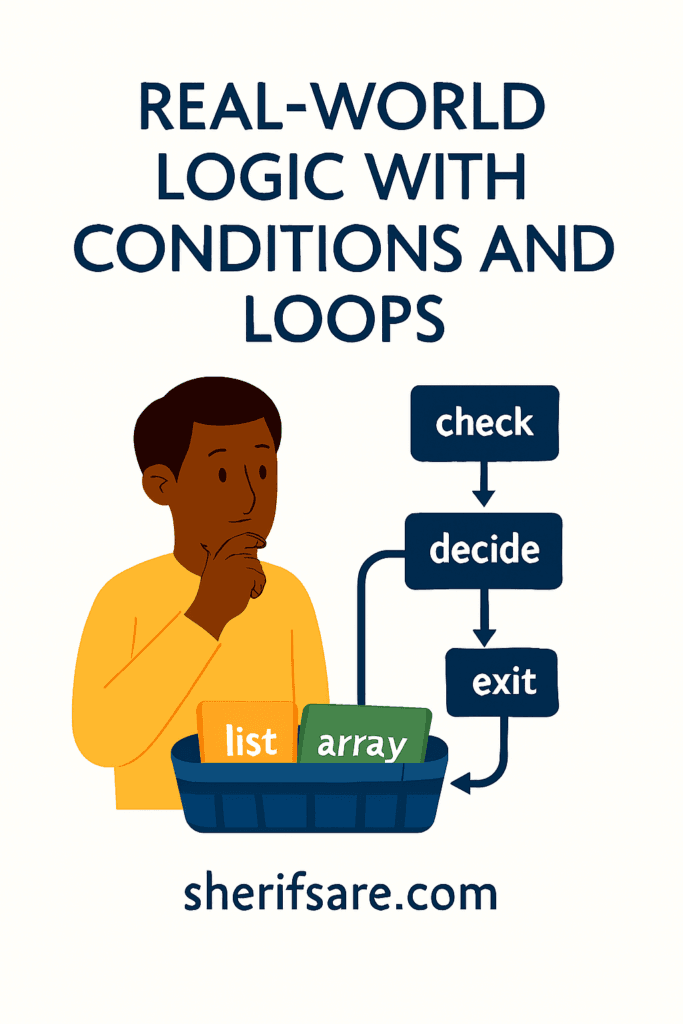
Imagine a decision tree inside a loop:
- Loop starts
- Condition is checked
- Action is taken
- Loop updates
- Repeat or exit
This helps learners see how logic flows through repetition.
14. Final Thoughts
Combining conditions and loops is how you build real-world logic.
It’s the difference between static code and dynamic systems.
Once you master this, you can build calculators, games, dashboards, and more, all with smart, responsive behavior.