Programming isn’t just about single values. It’s about managing collections. Whether you’re storing names, scores, or settings, lists and arrays help you organize and manipulate multiple items efficiently.
1. What Is a List or Array in Programming?
A list (in Python) or array (in many other languages) is a data structure that holds multiple values in a single variable.
Python Example
python
fruits = ["apple", "banana", "cherry"]
This list contains three strings. You can access, modify, and loop through them.
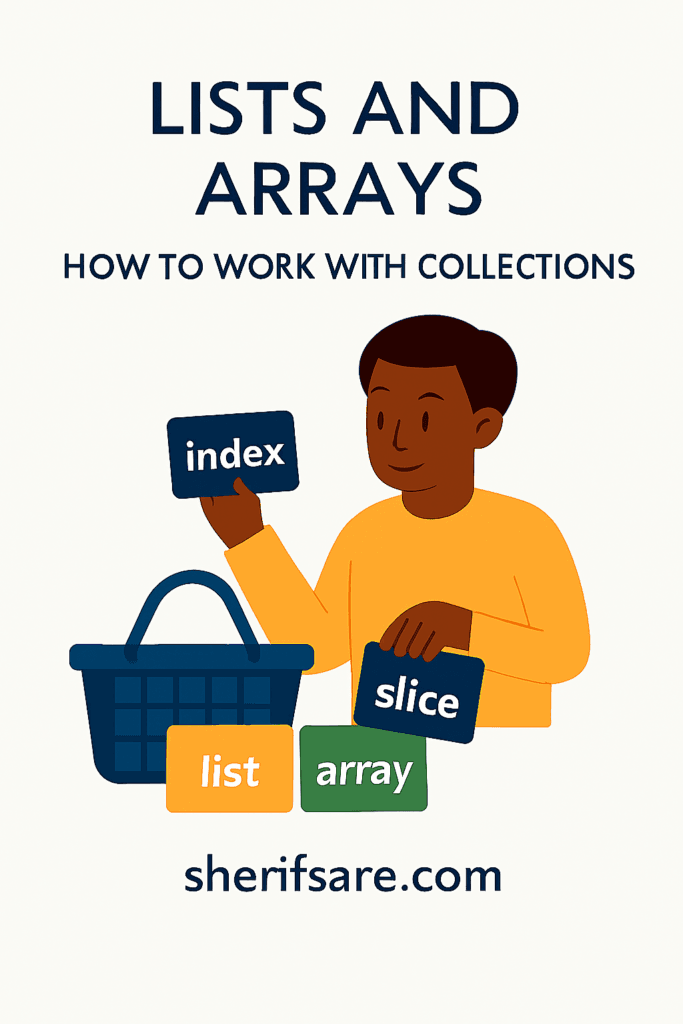
Real-Life Analogy
Think of a shopping basket:
- Each item is a value
- The basket is the list
- You can add, remove, or check items
2. Why Lists and Arrays Matter
- Efficiency: Store multiple values in one place
- Flexibility: Add, remove, sort, and search items
- Scalability: Handle large datasets
- Logic: Build powerful loops and conditions
3. Creating Lists in Python
python
numbers = [1, 2, 3, 4, 5]
names = ["Sherif", "Amina", "Kwame"]
mixed = [1, "hello", True]
Lists can hold any type — even mixed types.
4. Accessing List Items
Use indexing to get specific items. Indexes start at 0.
python
print(fruits[0])  # Output: apple
print(fruits[2])  # Output: cherry
Negative indexes count from the end:
python
print(fruits[-1]) # Output: cherry
5. Modifying Lists
✅ Change an Item
python
fruits[1] = "orange"
✅ Add Items
python
fruits.append("grape")       # Add to end
fruits.insert(1, "mango")    # Add at position
✅ Remove Items
python
fruits.remove("banana")      # Remove by value
del fruits[0]                # Remove by index
6. Looping Through Lists
python
for fruit in fruits:
    print(fruit)
Use enumerate() to get index and value:
python
for i, fruit in enumerate(fruits):
    print(i, fruit)
7. List Functions and Methods
| Method | Description |
|---|---|
append() | Add item to end |
insert() | Add item at index |
remove() | Remove item by value |
pop() | Remove item by index and return it |
sort() | Sort items |
reverse() | Reverse order |
len() | Count items |
8. Slicing Lists
python
print(fruits[1:3])  # Items at index 1 and 2
print(fruits[:2])   # First two items
print(fruits[-2:])  # Last two items
Slicing helps you extract sublists.
9. Lists vs. Arrays
| Feature | List (Python) | Array (Other Languages) |
|---|---|---|
| Type flexibility | Mixed types allowed | Usually same type only |
| Built-in | Yes | Often needs import |
| Methods | Rich set | Depends on language |
In Python, you can use arrays via the array module or NumPy for numerical data.
10. Multidimensional Lists (2D Lists)
python
matrix = [
    [1, 2, 3],
    [4, 5, 6],
    [7, 8, 9]
]

print(matrix[1][2])  # Output: 6
Useful for grids, tables, and game boards.
11. List Comprehensions
Compact way to create lists:
python
squares = [x**2 for x in range(10)]
With conditions:
python
evens = [x for x in range(10) if x % 2 == 0]
12. Practical Examples
✅ Filter Names Longer Than 5 Characters
python
names = ["Sherif", "Amina", "Kwame", "Abigail"]
long_names = [name for name in names if len(name) > 5]
✅ Sum All Numbers
python
numbers = [1, 2, 3, 4]
total = sum(numbers)
✅ Sort a List
python
scores = [88, 92, 75, 90]
scores.sort()
13. Common Mistakes
- Index out of range
- Forgetting that indexes start at 0
- Modifying a list while looping over it
- Confusing
append()withinsert()
14. Exercises for Mastery
- Create a list of your five favorite foods
- Write a loop that prints each food with its index
- Remove the third item and add a new one at the end
- Sort the list alphabetically
- Create a list of numbers and return only the even ones
15. Final Thoughts
Lists and arrays are essential tools for organizing and processing data. Once you master them, you’ll be able to build smarter, more efficient programs, from simple apps to complex systems.