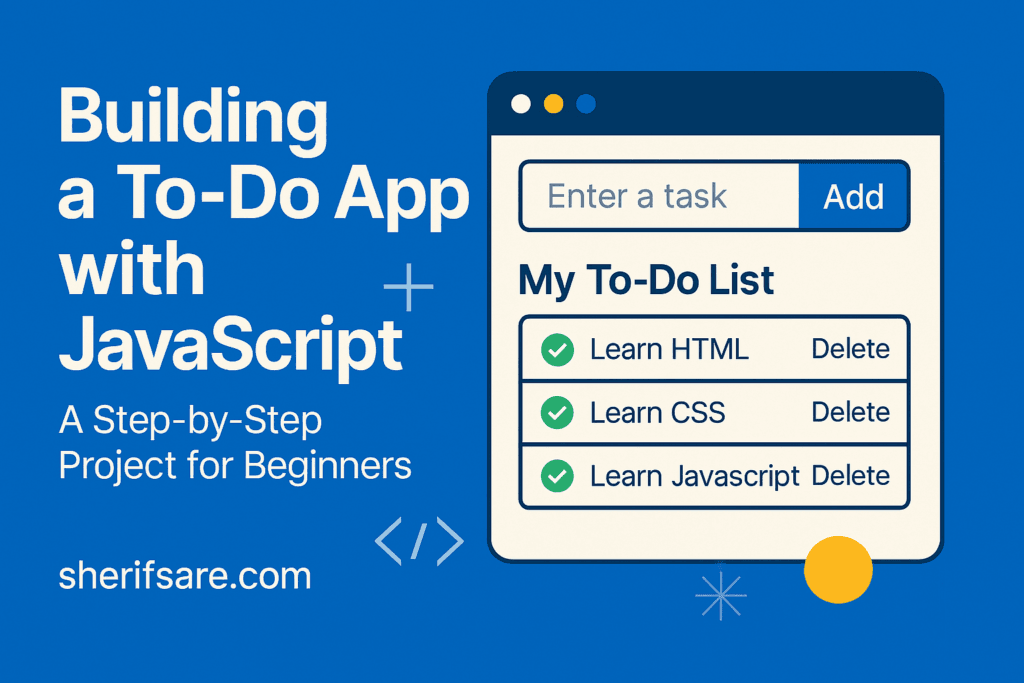
You’ve learned how to manipulate the DOM, handle events, and render dynamic lists. Now let’s apply those skills to building a To-Do App which is fully functional using plain JavaScript.
This project will teach you:
- How to structure your HTML and CSS
- How to manage tasks with arrays and objects
- How to add, delete, and persist tasks
- How to use
localStoragefor saving data - How to handle events efficiently with delegation
Step 1: HTML Structure
<div class="todo-app">
  <h1>My To-Do List</h1>
  <input type="text" id="taskInput" placeholder="Enter a task" />
  <button id="addTaskBtn">Add Task</button>
  <ul id="taskList"></ul>
</div>
Step 2: Basic CSS Styling
.todo-app {
  max-width: 400px;
  margin: auto;
  padding: 20px;
  background: #f9f9f9;
  border-radius: 8px;
}

input {
  width: 70%;
  padding: 10px;
  margin-right: 10px;
}

button {
  padding: 10px;
  background-color: #007bff;
  color: white;
  border: none;
  border-radius: 4px;
}

ul {
  list-style: none;
  padding: 0;
}

li {
  background: #e0e0e0;
  margin-top: 10px;
  padding: 10px;
  display: flex;
  justify-content: space-between;
}
Step 3: JavaScript Logic
✅ Initial Setup
const taskInput = document.getElementById("taskInput");
const addTaskBtn = document.getElementById("addTaskBtn");
const taskList = document.getElementById("taskList");

let tasks = JSON.parse(localStorage.getItem("tasks")) || [];
➕ Add Task
function addTask() {
  const text = taskInput.value.trim();
  if (text === "") return;

  const task = { id: Date.now(), text };
  tasks.push(task);
  saveTasks();
  renderTasks();
  taskInput.value = "";
}

addTaskBtn.addEventListener("click", addTask);
🗑️ Delete Task (Event Delegation)
taskList.addEventListener("click", event => {
  if (event.target.classList.contains("delete-btn")) {
    const id = Number(event.target.dataset.id);
    tasks = tasks.filter(task => task.id !== id);
    saveTasks();
    renderTasks();
  }
});
🖼️ Render Tasks
function renderTasks() {
  taskList.innerHTML = "";
  tasks.forEach(task => {
    const li = document.createElement("li");
    li.innerHTML = `
      ${task.text}
      <button class="delete-btn" data-id="${task.id}">Delete</button>
    `;
    taskList.appendChild(li);
  });
}
💾 Save to localStorage
function saveTasks() {
  localStorage.setItem("tasks", JSON.stringify(tasks));
}
Try It Yourself
Add these features:
- ✅ Mark tasks as completed
- 📝 Edit tasks inline
- 🔍 Filter tasks (All, Completed, Pending)
- 📅 Add due dates and sort by deadline
Bonus: Add animations and theme switching!
Performance Tips
- Use event delegation for delete/edit buttons
- Avoid re-rendering the entire list unless necessary
- Use
DocumentFragmentfor batch DOM updates if needed
Final Thoughts
This project ties together everything you’ve learned; DOM manipulation, event handling, dynamic rendering, and client-side storage. It’s a perfect beginner project that can evolve into a full productivity app.
In the next post, we’ll explore JavaScript Modules and Code Organization — how to split your code into reusable, maintainable pieces.